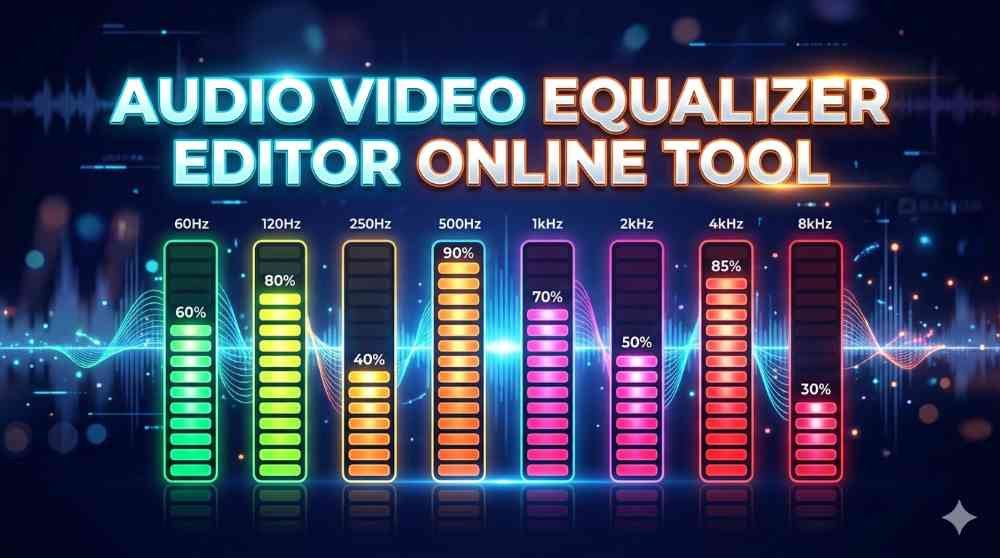

Audio Video Equalizer Editor Online Tool
Our Audio Video Equalizer Editor Online Tool is a simple and fast way to adjust sound online without installing heavy software. This tool is designed for users who want to improve the audio quality of their MP3, MP4, and WAV files directly in the browser. Whether you want stronger bass, cleaner treble, better voice clarity, or a more balanced sound, this tool gives you easy control over the most important equalizer frequencies. It works smoothly on both mobile and computer, so you can edit your audio settings comfortably on almost any device.
This online equalizer tool allows you to upload supported media files and then adjust the sound using 8 equalizer bands. These frequency controls help you shape the audio exactly the way you want. The available frequency bands are 64Hz, 125Hz, 250Hz, 500Hz, 1kHz, 2kHz, 4kHz, and 8kHz. By default, each band starts at 0dB, which means no boost or cut is applied. You can increase or reduce each level according to your needs and create a custom sound profile for music, videos, podcasts, voice recordings, or any other media.
Set Bass and Treble Easily
If you want to improve bass and treble quickly, this tool makes the process very easy. Bass usually lives in the lower frequency range, especially around 64Hz and 125Hz. If you want deeper punch, heavier beats, or stronger low-end sound, you can increase these frequencies a little. Treble usually comes from the higher frequencies such as 4kHz and 8kHz. If you want more sparkle, brightness, or sharpness in the sound, these bands can be adjusted. This makes the tool useful for people who want to set bass and treble without needing advanced audio editing knowledge.
The middle frequencies are also important because they control the body and clarity of the sound. For example, 250Hz and 500Hz can affect warmth and fullness, while 1kHz and 2kHz can improve vocal presence and instrument detail. With all 8 bands available, you are not limited to only bass and treble adjustments. You can shape the complete sound profile and make your audio more enjoyable, cleaner, or more powerful depending on the content.
8-Band Equalizer Frequency Controls
The tool provides these 8 equalizer frequency points for editing: 64Hz, 125Hz, 250Hz, 500Hz, 1kHz, 2kHz, 4kHz, and 8kHz. Each one can be adjusted from the default 0dB setting. Lower frequencies like 64Hz and 125Hz are ideal for bass enhancement. The 250Hz and 500Hz bands can help manage muddiness or improve body in the audio. Frequencies around 1kHz and 2kHz are useful for speech and vocal focus. The 4kHz and 8kHz controls are perfect for treble and brightness. This range is practical for everyday audio editing and gives enough flexibility for most users.
Because the tool is built for fast online use, you can test your adjustments quickly and hear the difference. Instead of using complex desktop software, you can simply upload your file, move the equalizer controls, and create a better listening experience in much less time. This is especially helpful for creators, editors, students, and general users who want quick results.
Volume Boost Up to 6x
One useful feature of this tool is the volume control. After adjusting equalizer settings, audio output can sometimes feel slightly lower. To help manage that, the tool includes a volume option starting from 1x and going up to 6x. This allows you to increase the loudness after applying EQ so the final output remains strong and comfortable to listen to. It is a very practical addition because equalizer editing often changes perceived volume, especially when cutting some frequencies or balancing the sound more carefully.
The volume boost can be helpful in many situations. If your original media is low in loudness, you can raise it. If your equalizer changes make the sound softer, you can compensate for it. This gives users more control and makes the tool more complete as an online audio-video editor. Instead of using separate tools for EQ and volume, you can handle both in one place.
Example Equalizer Settings
Here are a few example settings you can try. For a bass boost profile, raise 64Hz to +4dB, 125Hz to +3dB, keep 250Hz at +1dB, leave 500Hz flat, reduce 1kHz slightly to -1dB, keep 2kHz flat, and raise 4kHz and 8kHz by +1dB for balance. This can create deeper and more energetic sound for music and videos.
For a treble boost profile, keep 64Hz flat, set 125Hz to 0dB, lower 250Hz to -1dB, keep 500Hz flat, raise 1kHz to +1dB, 2kHz to +2dB, 4kHz to +3dB, and 8kHz to +4dB. This setting can make vocals and details sound clearer and brighter.
For voice clarity, reduce 64Hz to -2dB, keep 125Hz at -1dB, keep 250Hz flat, raise 500Hz to +1dB, increase 1kHz to +2dB, 2kHz to +3dB, keep 4kHz at +2dB, and 8kHz at +1dB. This can help speech sound cleaner and easier to understand, especially in spoken audio and video recordings.
For a balanced everyday setting, use 64Hz at +1dB, 125Hz at +1dB, 250Hz at 0dB, 500Hz at 0dB, 1kHz at +1dB, 2kHz at +1dB, 4kHz at +1dB, and 8kHz at +1dB. This gives a gentle enhancement without making the audio too heavy or too sharp. You can also adjust volume between 1x and 2x if needed.
Copy and Resume Settings with XML
Another excellent feature of this tool is the ability to save your equalizer settings in XML format. Once you create a sound profile you like, you can copy the XML and keep it for later use. This is very helpful if you regularly use the same bass, treble, or vocal settings for different files. Instead of rebuilding the same equalizer profile every time, you can simply save it once and reuse it whenever needed.
The tool also supports pasting XML settings back into the equalizer so you can resume the exact same setup later. This means your custom preset can be restored in seconds. It is a great feature for consistency, especially for content creators, editors, and users who want repeatable sound settings across multiple projects. It saves time and makes the editing process more convenient.
Fast, Easy, and Device Friendly
This online equalizer editor is built for speed and comfort. It runs fast, responds smoothly, and is suitable for both mobile and desktop users. You do not need powerful hardware or complicated software knowledge to use it. The interface is straightforward, the controls are practical, and the workflow is simple from upload to output. Whether you are editing a song, improving a video soundtrack, boosting bass, adjusting treble, or restoring a saved XML preset, the tool is made to be user-friendly.
If you are looking for a reliable online solution to adjust bass and treble, control 8 equalizer frequencies, increase volume up to 6x, and save or restore your settings with XML, this Audio Video Equalizer Editor Online Tool is a very useful option. It is fast, flexible, and convenient for everyday audio editing needs.