
Minecraft Circle Generator – Create Perfect Circles and Ovals in Minecraft
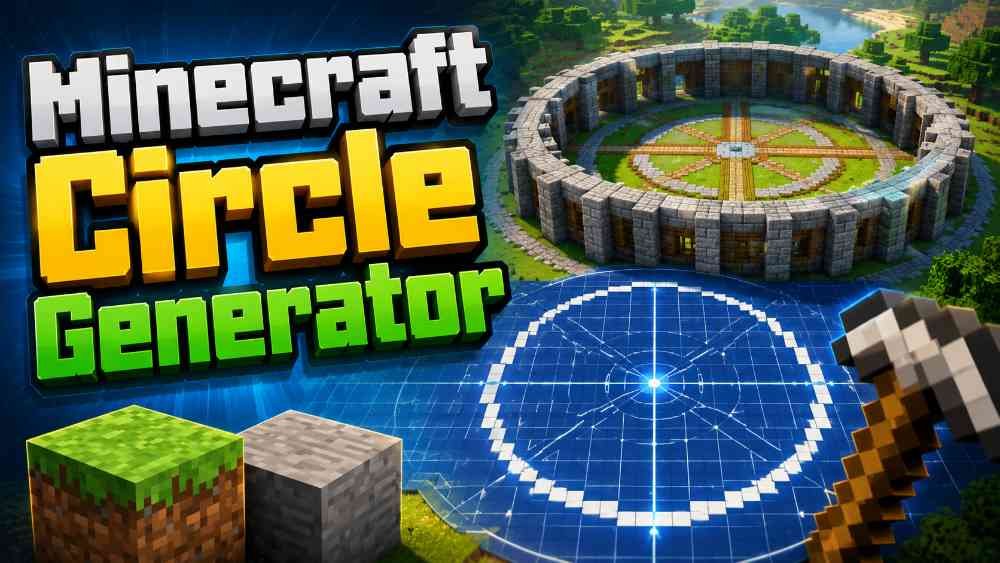
Minecraft is a block-based game, which makes building square and rectangular structures very easy. However, creating a clean circle, oval, rounded tower, arena, dome base, circular wall, or other curved structure can be much more difficult. Since every Minecraft block is square, players cannot simply draw a smooth mathematical circle inside the game. The Minecraft Circle Generator on EditorGenerator.Com solves this problem by generating an accurate block-by-block blueprint that you can follow while building. Simply choose the size and style of your structure, generate the blueprint, and use the highlighted blocks as a guide inside Minecraft.
What Is a Minecraft Circle Generator?
A Minecraft Circle Generator is a building assistance tool designed to convert a mathematical circle or ellipse into a Minecraft-compatible block pattern. Instead of guessing where blocks should be placed, the generator calculates the required positions automatically and displays them on an easy-to-understand grid. Every highlighted square in the generated blueprint represents one Minecraft block. This makes the tool useful for both small decorative builds and very large construction projects where even a small positioning mistake can affect the symmetry of the complete structure.
Create Perfect Minecraft Circles
The Perfect Circle option is useful whenever you need equal width and height. You only need to enter the required width, and the generator automatically keeps the height equal to it. For example, if you select a width of 31 blocks, the generated structure will be 31 blocks wide and 31 blocks high. The block layout is calculated automatically to create a balanced and symmetrical Minecraft circle. This is especially helpful for towers, circular houses, fountains, arenas, castles, farms, floor designs, portals, decorative platforms, and large Minecraft bases.
Create Minecraft Ovals and Ellipses
Not every curved Minecraft structure needs to be a perfect circle. Some projects require an oval or ellipse with different horizontal and vertical dimensions. The Oval option allows you to independently define the width and height of the blueprint. This gives you much greater flexibility when designing stadiums, racing tracks, elongated buildings, decorative gardens, large halls, custom roofs, and other structures. The same block-based calculation system is used to generate a clean and symmetrical oval that can be recreated directly in your Minecraft world.
Choose Between Outline, Thick Wall, and Filled Disc
The generator includes multiple block styles for different building requirements. Thin Outline generates only the outer boundary of the circle or oval, making it ideal for walls, rings, borders, towers, and construction guides. Thick Wall allows you to increase the thickness of the outer structure by multiple blocks. This is useful when building strong castle walls, large towers, arenas, or architectural structures that require a wider border. Filled Disc generates the complete interior area of the circle, which is useful for floors, platforms, foundations, roofs, islands, and other fully covered circular areas.
See the Exact Number of Minecraft Blocks Required
Planning materials is an important part of large Minecraft projects. The generator automatically calculates how many blocks are required for the selected design. Instead of manually counting hundreds or thousands of squares, you can instantly see the total block requirement. The tool also calculates the number of full stacks of 64 blocks and displays any additional blocks required. This helps Survival Mode players collect the correct amount of stone, wood, concrete, glass, bricks, or any other building material before beginning construction.
Interactive Minecraft Building Progress
Large circles can take a long time to build, and it is easy to forget which sections have already been completed. The interactive blueprint allows you to click highlighted blocks and mark them as placed. Completed blocks are shown using a different color so you can visually track your progress. The tool also displays the number of blocks remaining and the percentage of the project completed. Build progress can be stored in your browser, allowing you to continue working on the same generated structure without repeatedly counting completed blocks.
Grid Lines and Center Guides
The optional grid display makes it easier to identify individual Minecraft block positions. Center guides provide horizontal and vertical reference lines through the exact geometric center of the generated structure. These guides are extremely useful when aligning a circle with an existing Minecraft building, road, tower, beacon, farm, or other structure. For even-sized circles, where the mathematical center falls between blocks, the guide still provides a clear visual reference so the complete shape remains balanced on both sides.
Minecraft 16×16 Chunk Grid
Minecraft worlds are divided into chunks measuring 16 by 16 blocks horizontally. The Minecraft Circle Generator includes an optional 16×16 chunk grid that helps you understand how your structure will cross chunk boundaries. This feature can be useful for technical builds, large farms, multiplayer projects, server construction, and structures where chunk alignment matters. You can enter the center X and Z coordinates of your planned structure, and the generator can use those coordinates to display the relevant chunk divisions over the blueprint.
Get Minecraft X and Z Coordinates
The tool can provide coordinate information for individual blocks in the generated design. Enter the Minecraft X and Z coordinates of your reference center and move over the blueprint to inspect the corresponding location. The generator displays grid coordinates, relative coordinates, and Minecraft coordinates. This feature is useful when multiple players are working on the same project, when building from precise coordinates, or when recreating a structure in another world. You can also copy a coordinate list containing the required block positions for additional planning.
Row-by-Row Minecraft Build Plan
Some players prefer building a circle one row at a time rather than constantly looking at the graphical blueprint. For this reason, the generator automatically produces a row-by-row build plan. The plan shows where blocks should begin and end on each required row relative to the center of the structure. This method can make construction significantly easier, especially for large circles and ovals. The complete row plan can also be copied and saved so it can be referenced while playing Minecraft on another screen or device.
Zoom and Explore Large Blueprints
Large Minecraft structures may contain hundreds of blocks across their width or height. The interactive blueprint includes zoom controls so you can closely inspect individual areas without losing the overall structure. You can zoom in for detailed block placement and return to the fitted view whenever necessary. This makes the generator practical on desktop computers, tablets, and mobile devices. The canvas-based rendering system also keeps the interface responsive without creating thousands of separate webpage elements for every block in a large design.
Download Your Minecraft Circle Blueprint as an Image
After generating a circle or oval, you can download the blueprint as a PNG image. The downloaded image contains the generated Minecraft block layout and can be stored on your phone or computer for later use. This is particularly convenient when you want to build without keeping the generator page open. You can also share the blueprint with friends or other members of a Minecraft server so everyone can follow the same layout while working together on a large construction project.
No Installation or Minecraft Mod Required
The Minecraft Circle Generator works directly inside your web browser. You do not need to install Minecraft mods, resource packs, desktop software, browser extensions, or additional applications. The calculations and blueprint rendering are performed locally in the browser. This makes the tool simple to use on compatible desktop and mobile browsers. It is designed as a building planning tool, so it does not modify your Minecraft installation or automatically place blocks inside your world. You remain completely in control of the construction process.
Who Can Use This Minecraft Circle Generator?
This tool can be useful for Minecraft beginners, experienced builders, Survival Mode players, Creative Mode designers, server administrators, map creators, and players working on large collaborative projects. Beginners can use it to understand how curved Minecraft structures are formed, while advanced builders can use the coordinate, chunk, wall thickness, and planning features for more complex projects. Whether you are building a small circular fountain or a massive city arena, the generator can reduce repetitive calculations and help maintain consistent symmetry.
Start Designing Your Minecraft Structure
Creating circles manually in Minecraft often requires trial and error, especially when the diameter becomes large. The Minecraft Circle Generator on EditorGenerator.Com provides a faster and more organized way to plan these structures. Select a circle or oval, enter the required dimensions, choose an outline, thick wall, or filled design, and generate your blueprint. You can then inspect the grid, track completed blocks, check material requirements, view coordinates, use chunk guides, copy the row plan, and download the final blueprint. With everything available in one browser-based tool, planning accurate circular Minecraft builds becomes much easier.